ONLINE CHAT CHANNEL
This is a free consultation and support channel via the online chat tool on the software, helping customers quickly contact MISA consultants.
Benefits
- Completely free
- Quick and effective 24/7 answers
- Easily share image and video information on chat
- Track the entire consultation and support history throughout the usage process
Instructions
Method 1: Chat directly on the software
To use, customers need to log in to the software, click on the ONLINE CHAT icon in the upper right corner of the screen.
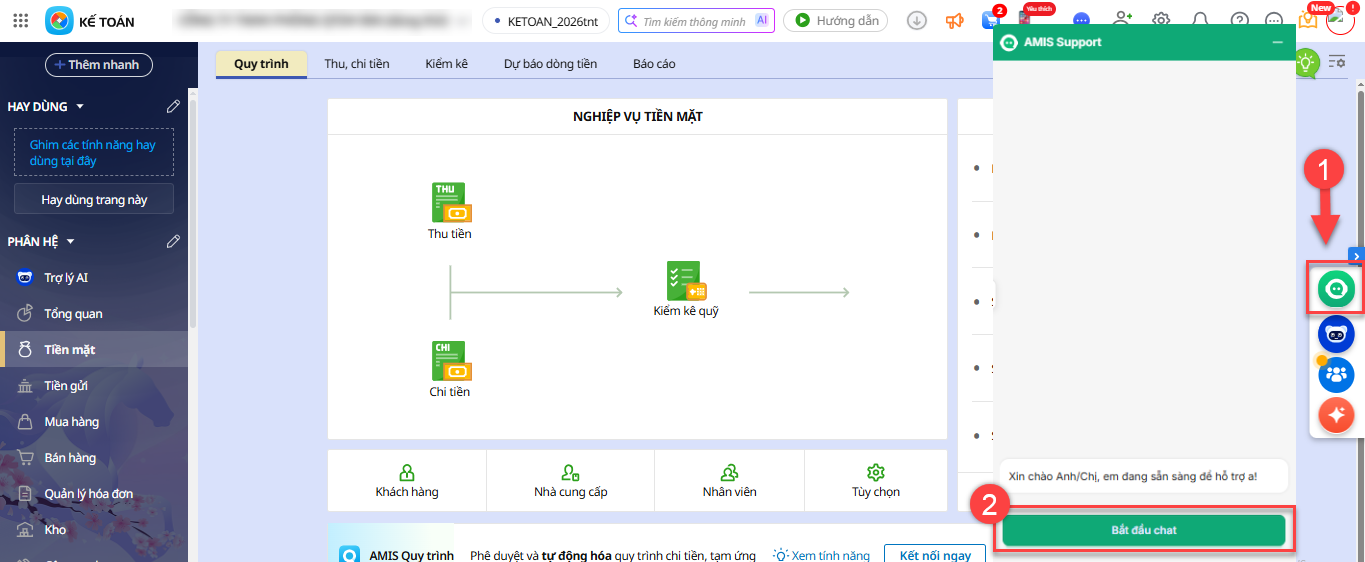
(Online product interface)
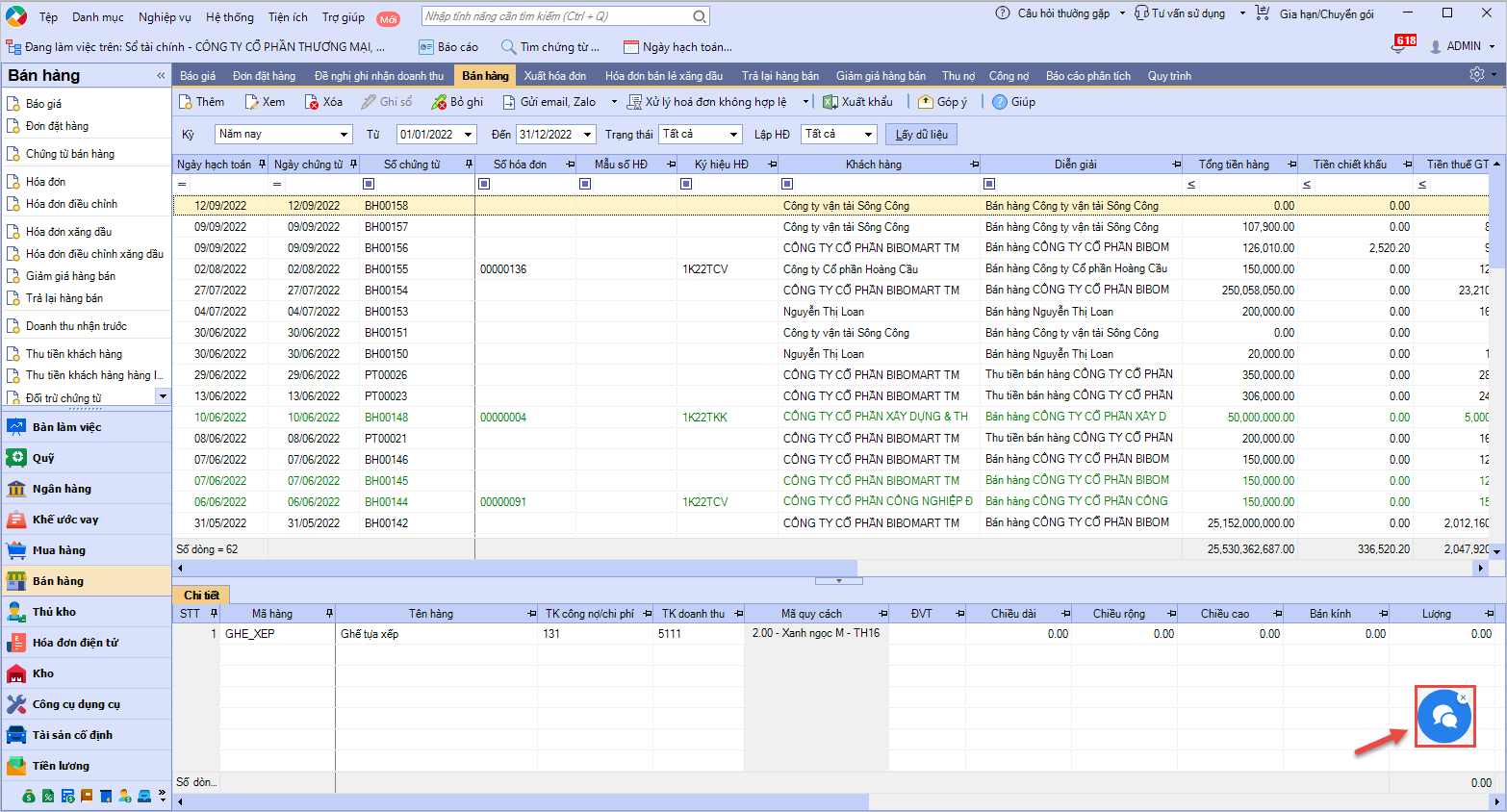
(Desktop product interface)
Method 2: Chat via the online user guide page/website
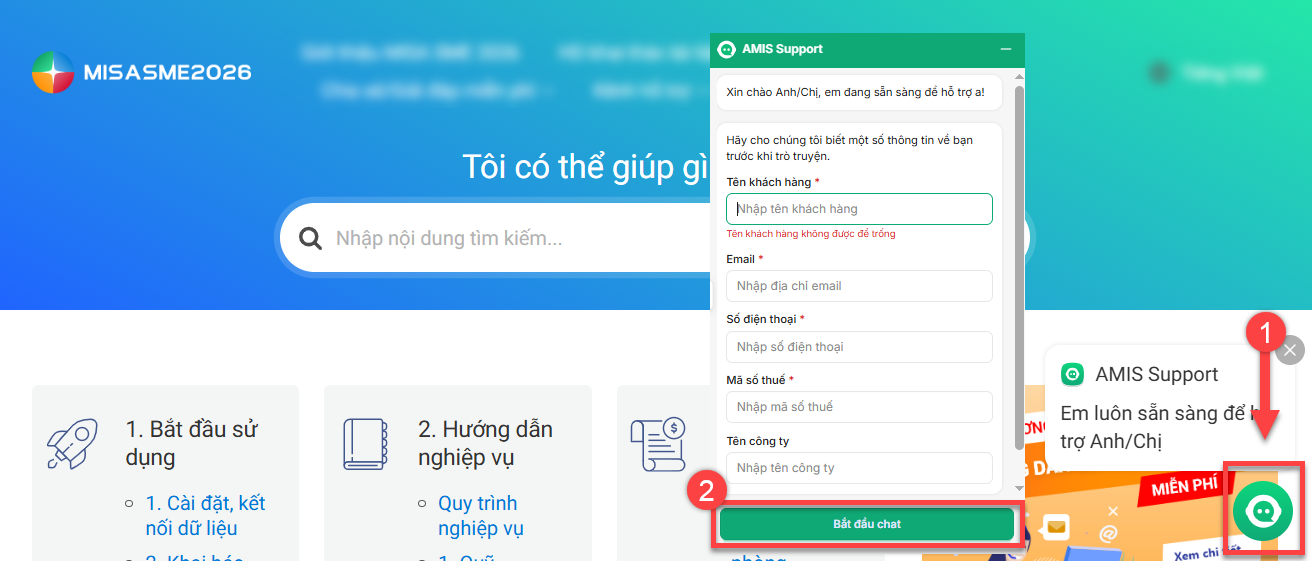
(User guide page interface)
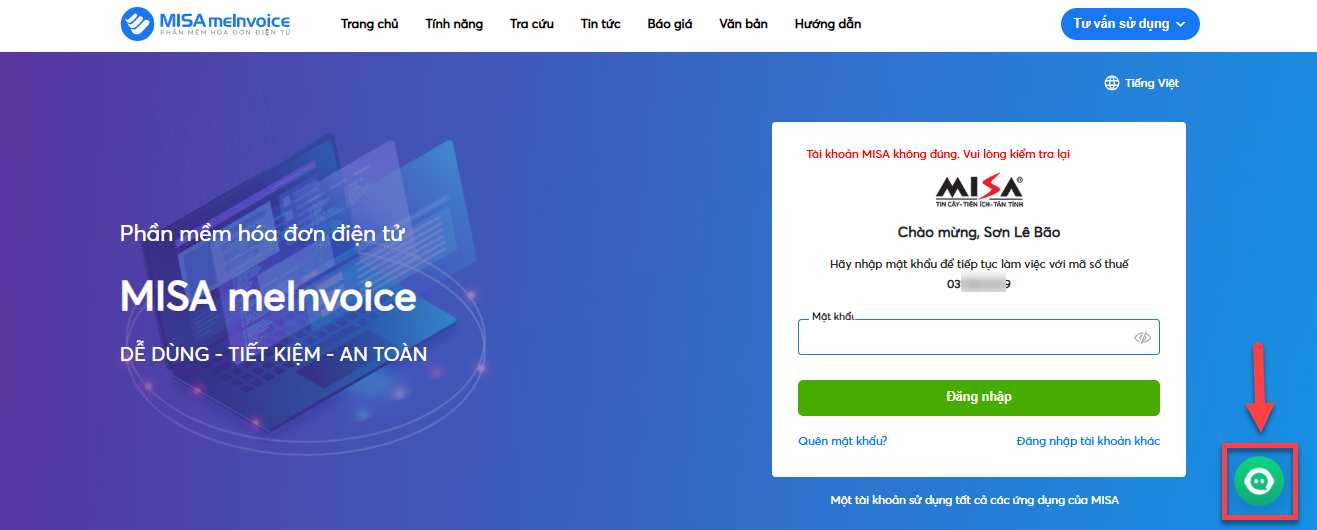
(Website interface when logged in)
On the chat frame, customers can attach files/images to clarify support issues and can evaluate service quality after successful consultation.
With the above solution, MISA hopes to promptly support customers’ issues during the use of MISA software.
Sincerely thank you!